 BackupWatch Docs
The Review queue
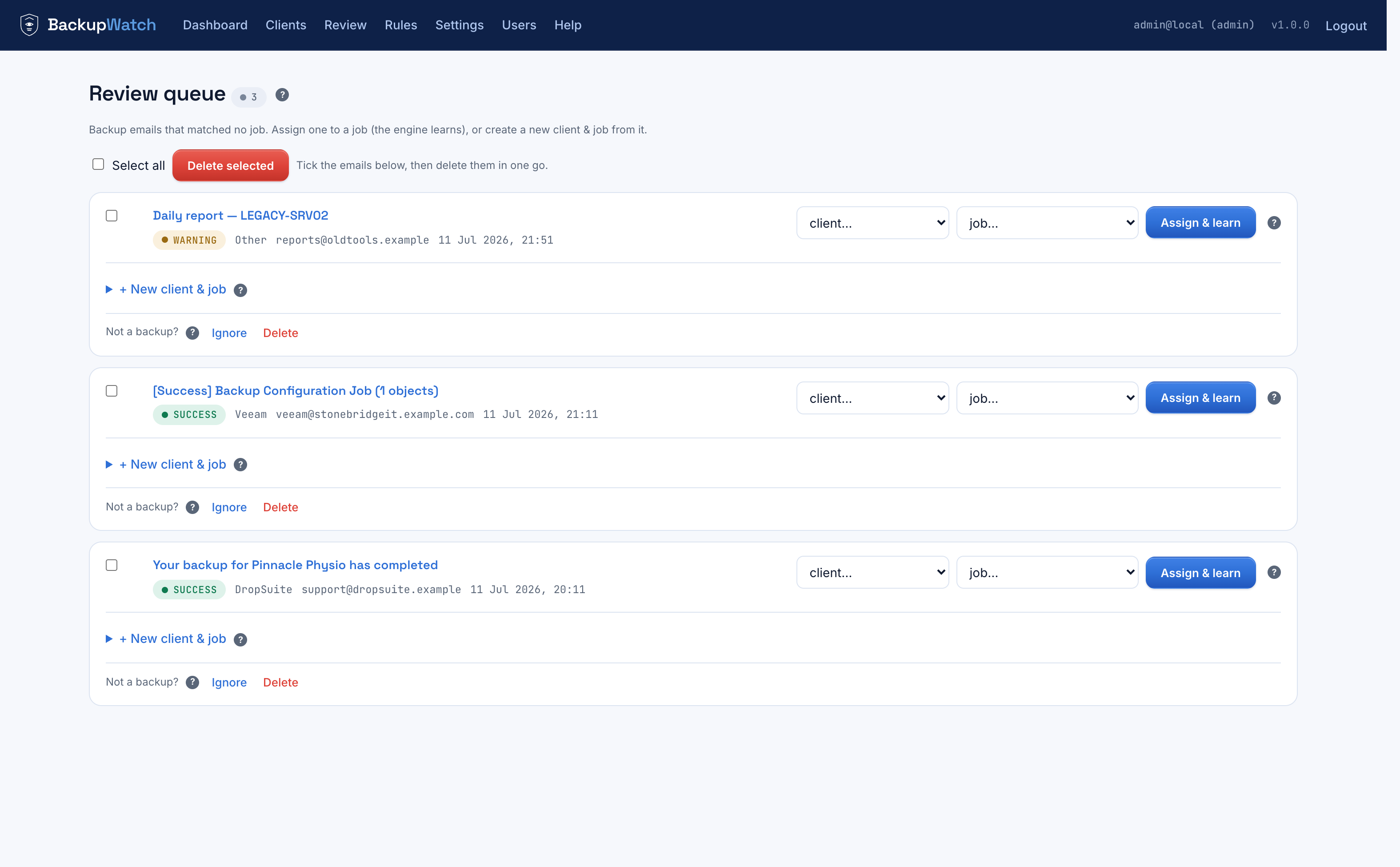
For each unmatched email you can: pick a client, pick a job (the dropdown filters to that client's jobs), and click Assign & learn; or expand + New client & job to create both in one step, prefilled from the email. If it's not a backup notification at all, Ignore or Delete it instead.
Learning on assign
When you assign a Review email to a job, BackupWatch derives exactly one learned rule from it:
- Client-specific sender (the sender's domain isn't a known shared
vendor domain) → a rule on
from contains <sender-domain>. Robust: that client's future mail from that domain, on any subject, now routes automatically. - Shared sender (e.g. everything from
dropsuite.com) → a rule onsubject contains <distinctive token>— the longest meaningful word in the subject. Afromrule here would wrongly grab every customer that vendor has, so it learns on the subject instead.
The rule is deduplicated automatically — assigning the same kind of email twice doesn't
pile up duplicate rules — and it's an ordinary rule afterward: visible on the job page
tagged learned · OR, editable, deletable.
Suggestions
For each email in the queue, BackupWatch proposes the most likely job by scoring every active job against how well the email overlaps its existing rule values:
| Match | Points |
|---|---|
A from rule whose value is the sender's domain / in the From address | +2 |
| A rule value that equals a distinctive subject token | +2 |
| A rule value (4+ characters) found anywhere in from + subject + body | +1 |
Generic words are ignored so they can't produce false suggestions. The highest-scoring job above zero becomes a one-click suggestion in the queue.